|
Advanced Query Tool features
AQT is designed for people who work with databases on a daily basis. With AQT you can:
There are two Editions of AQT: Standard and Extended. Which Edition is right for you? The Feature matrix compares their features.
|
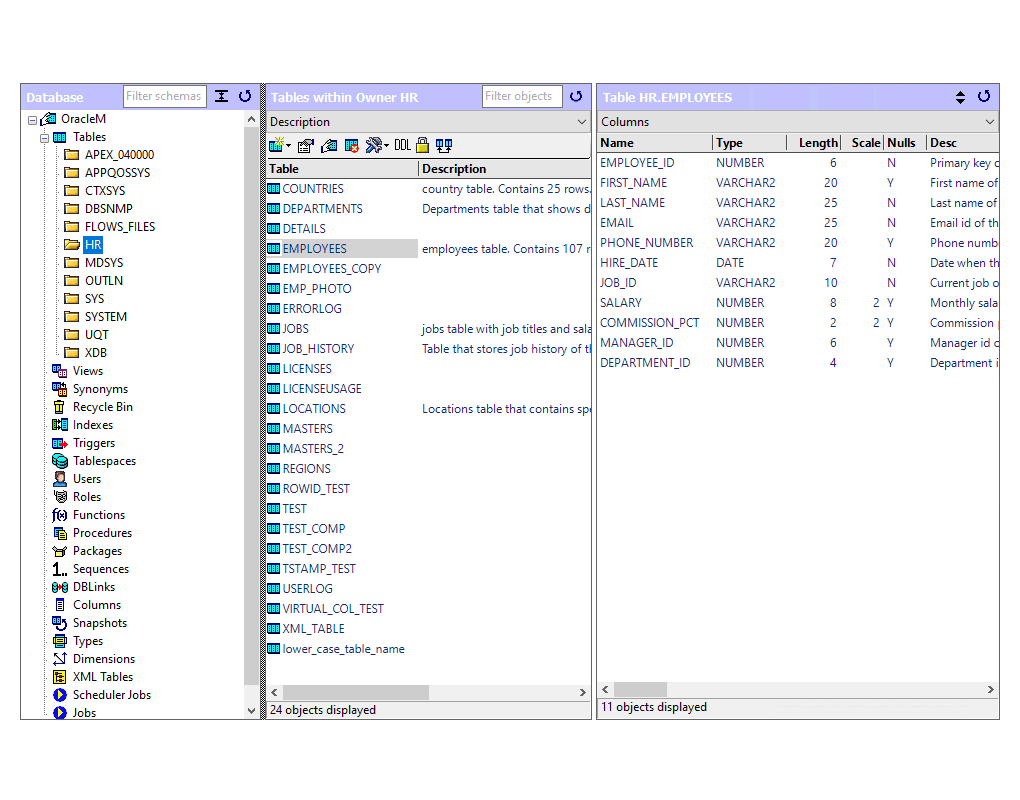
Database Explorer
|
- shows you comprehensive information about the objects in your databases
- not just tables, but also views, aliases, indexes, tablespaces, triggers, procedures, functions, users, authorities
- unique 3-pane displays makes it easy to deal with thousands of objects
- can sign onto multiple databases
- configured for Oracle, DB2/UDB, DB2 z/OS, DB2 for iSeries, Sybase Anywhere, Sybase ASE, Sybase IQ, MS SQL Server, Informix, MySQL, Pervasive.SQL, SQLBase, PostgreSQL, Interbase/Firebird, Netezza
- configuration-driven system; displays can be amended or altered
- can define and display Favorites
|
More
|
Run SQL
|
- syntax highlighting of SQL
- save / retrieve queries
- SQL can contain substitutional parameters (values are prompted when SQL is run)
- SQL History (saved to disk between sessions)
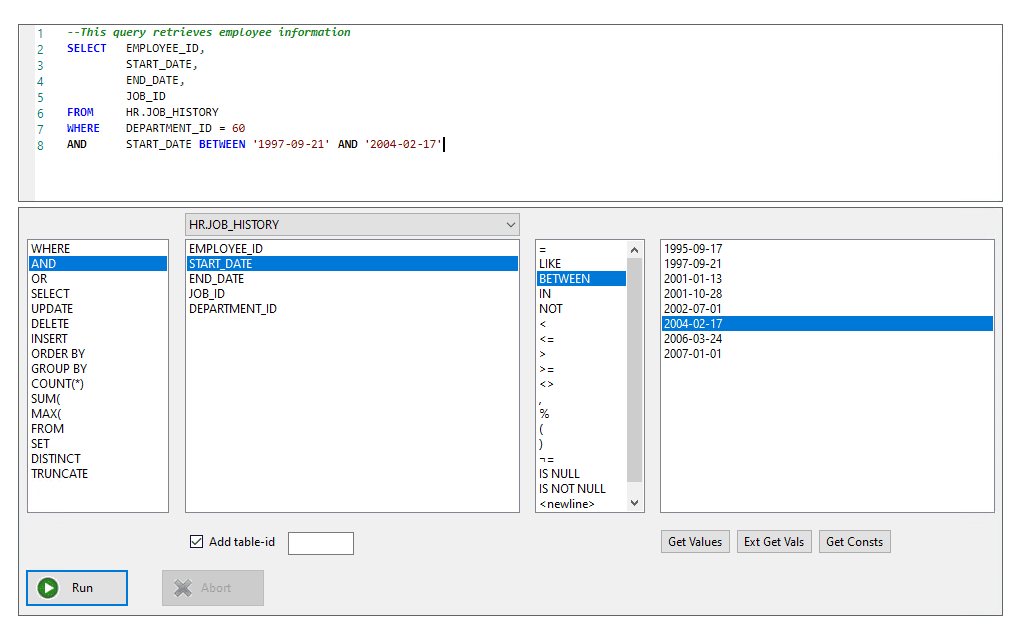
- single click to add keywords, columns, values to your SQL
- single-click table and column analysis
- format SQL
- Search Table window to easily build simple searches (screenshot)
- long-running queries can be cancelled
- run scripts containing thousands of SQL statements. Scripts can be paused, amended, restarted
- run Stored Procedures. These can contain INOUT and OUT parameters, and produce multiple result-sets
- explain plan (for DB2/UDB, DB2 z/OS, Oracle, SQL Server, Sybase, MySQL)
|
More
|
Displaying Data
|
- display large values and multi-line text
- group query results
- display row detail (more)
- display LOB columns. LOB values can be displayed in an external application
- display Unicode data
- sort, copy, print, save, compare query results; move, freeze, hide columns
- display subtotals, save/load display layouts
- display data from related tables
- pivot a column for data summarization
|
More
|
Updating Data
|
- build and run update / delete / insert statements
- build either single-row update/deletes or mass update/deletes
- updates can run under transactional control
- inline-editing of table data
- has safe update mode to prevent inadvertent mass updates/deletes
- insert / update LOB values
|
More
|
Graphical Query Builder
|
- many users have said that this is the best query builder on the market
- quickly build multi-table queries
- auto-detect table relationships
- reverse-engineering capability - take an existing SQL query and display it as a graphical query
- support for table expressions / inline views
- build complex Where clauses and Column expressions
- use native or ansi join syntax
- excellent help on join types
- many options for formatting the SQL
|
More
|
Data Export
|
- export to csv, HTML, Excel, fixed format, XML
- export to HTML has full options for HTML formatting and use of style sheets (example)
- export to XML follows dbunit specifications
- can export data as a series of Insert statements
- export to HTML and Excel can hyperlink to LOB files (example)
|
|
Database Administration (Extended Edition only)
|
- create / alter / drop objects
- not just tables, but also indexes, foreign keys, tablespaces, triggers, procedures, functions, users
- admin module has been developed for Oracle, DB2/UDB, DB2 z/OS, DB2/400, Sybase Anywhere, Sybase ASE, MS SQL Server, Informix, MySQL, Pervasive.SQL, SQLBase, PostgreSQL, MS Access, Interbase/Firebird
- generate full DDL for objects
- security administration
- full compare of table definitions (including indexes, keys, constraints) (more)
- excellent cross-database support - copy/compare objects definitions between databases of different types
|
More
|
Data Loader (Extended Edition only)
|
- load data from delimited files, excel files, tables, queries
- load data from one database to another database type
- copy LOBs between databases
- graphical mapping of target columns from source
- transform data to target from source
- preview data before loading
- comprehensive options for transactional control and error handling
- restart the load after failure
- can be run in batch mode
|
More
|
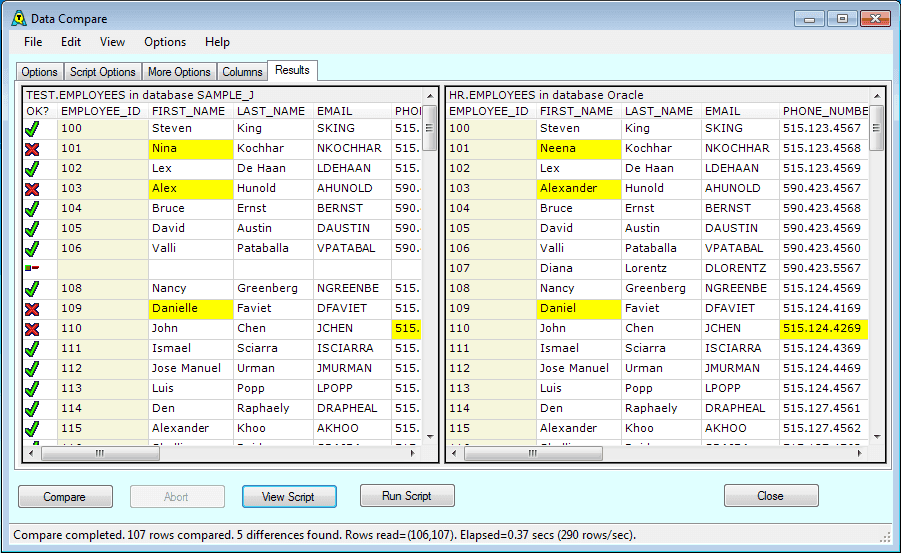
Data Compare (Extended Edition only)
|
- compare data in tables, views, or results of queries
- compare data across databases of different types
- generate a script to resync table contents
- compare full LOB values
- can be run in batch mode
|
More
|
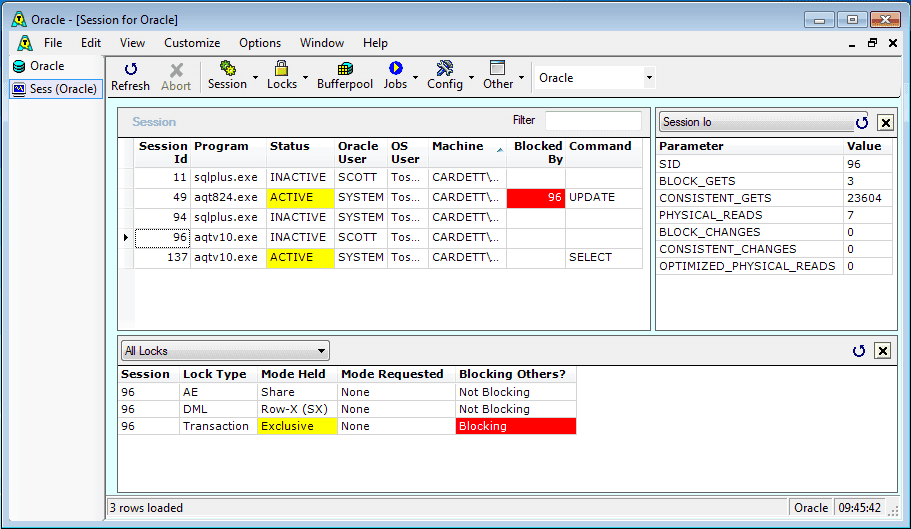
System Monitor (Extended Edition only)
|
- configured for DB2/UDB, Oracle, Sybase, SQL Server
- monitor many different parts of your system
- displays can be customized
- critical conditions can be highlighted
- has auto-refresh
|
More
|
Plus
- batch-mode capability - run unattended
- AQT can be set to read-only mode. This disallows all SQL except Select statements
- auto-disconnect of inactive sessions
- audit facility for retaining information on the SQL you run
- AQT uses a low-level ODBC interface, which is reliable and fast
|
| |
 |
 |
Last reviewed on 22 February 2010
Copyright 2002-2010 Cardett Associates Ltd. All rights reserved.
|